SSO / SAML
Connect Microsoft Entra ID (or another SAML 2.0 IdP) under Settings → SAML SSO. Owners and Admins manage this page.
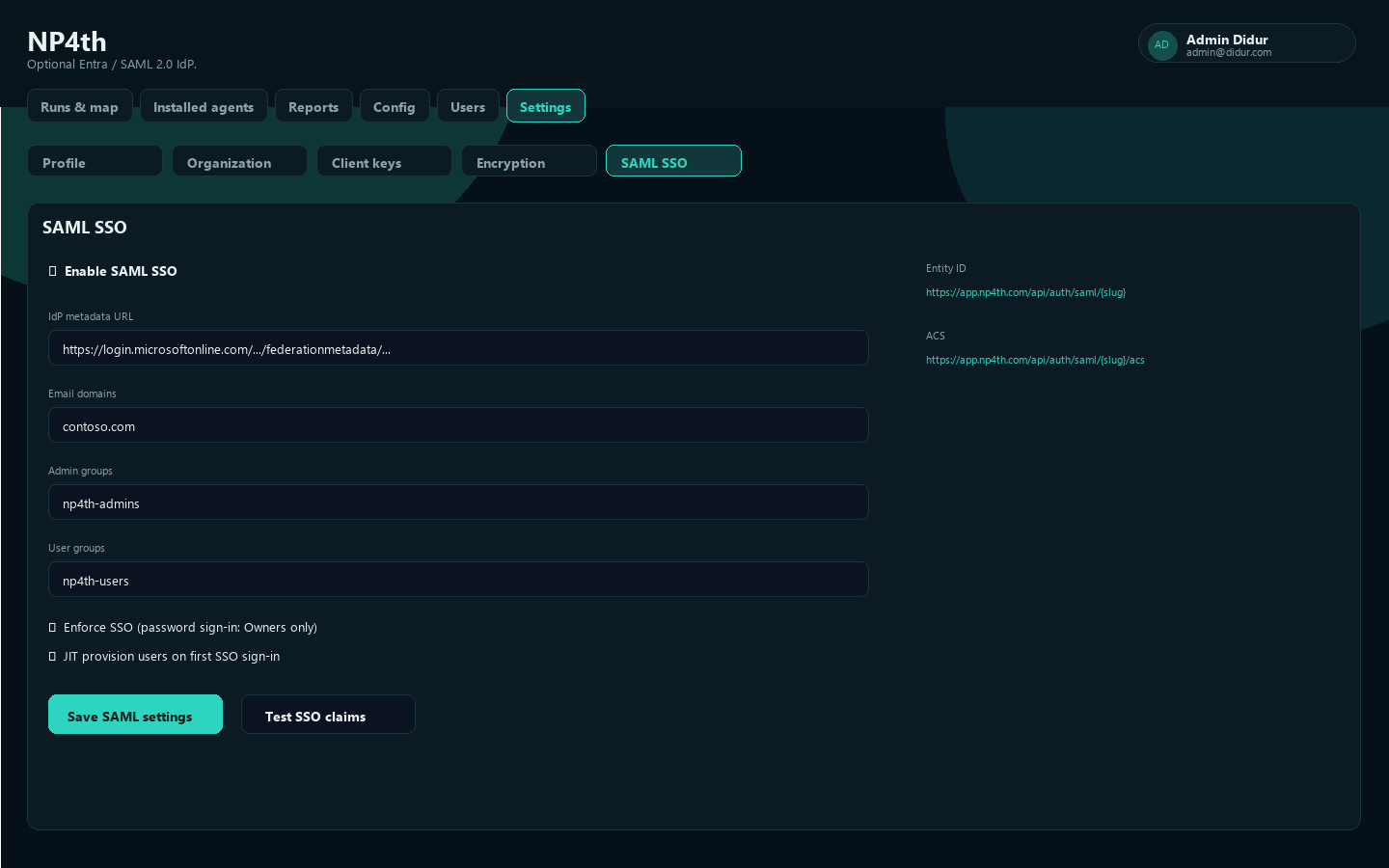
Entra app registration
- In Entra, register an enterprise app / SAML application for NP4th.
- Copy your tenant slug from NP4th (organization identifier used in URLs).
- Register these service-provider values (base
https://app.np4th.com):
| Field | URL |
|---|---|
| Entity ID | https://app.np4th.com/api/auth/saml/{slug} |
| ACS (Reply URL) | https://app.np4th.com/api/auth/saml/{slug}/acs |
| SP metadata | https://app.np4th.com/api/auth/saml/{slug}/metadata |
| Login | https://app.np4th.com/api/auth/saml/{slug}/login |
- In NP4th, enable Enable SAML SSO and paste the IdP metadata URL (or IdP metadata XML).
- Optionally Download SP metadata (
np4th-sp-metadata.xml) for your IdP.
Accounts match by Entra object ID claim http://schemas.microsoft.com/identity/claims/objectidentifier. Profile field placeholder: Entra object ID (oid).
Email domains
Under Email domains, list one domain per line for SSO discovery. Public providers (gmail, outlook, and similar) cannot be claimed.
Group → role mapping
| Setting | Purpose |
|---|---|
| Admin groups | Entra group object IDs and/or names → Admin |
| User groups | Entra group object IDs and/or names → User |
| Default role if no group match | User or Admin |
| Require Entra group membership to sign in | Block users with no matching group |
| JIT provision users on first SSO sign-in | Create users automatically on first login |
Highest group match wins. Owner is not assigned by default SSO mapping—Owners remain break-glass accounts.
Test vs enforce
- Save settings with Save SAML settings.
- Use Test SSO claims to validate assertions and group mapping.
- Only then enable Enforce SSO (password sign-in: Owners only).
Warning
With enforce on, non-Owner users must use SSO. Keep at least one active Owner who can still use password sign-in.
Break-glass Owner
If SSO misconfiguration locks out Admins/Users:
- Open the Owner break-glass login: /dashboard/local.html (or
?local=1/?nosso=1on the dashboard). - Sign in as an Owner with password.
- Fix SAML settings or turn off enforce.
Title on that page: NP4th Owner break-glass login.